LEAD Web App
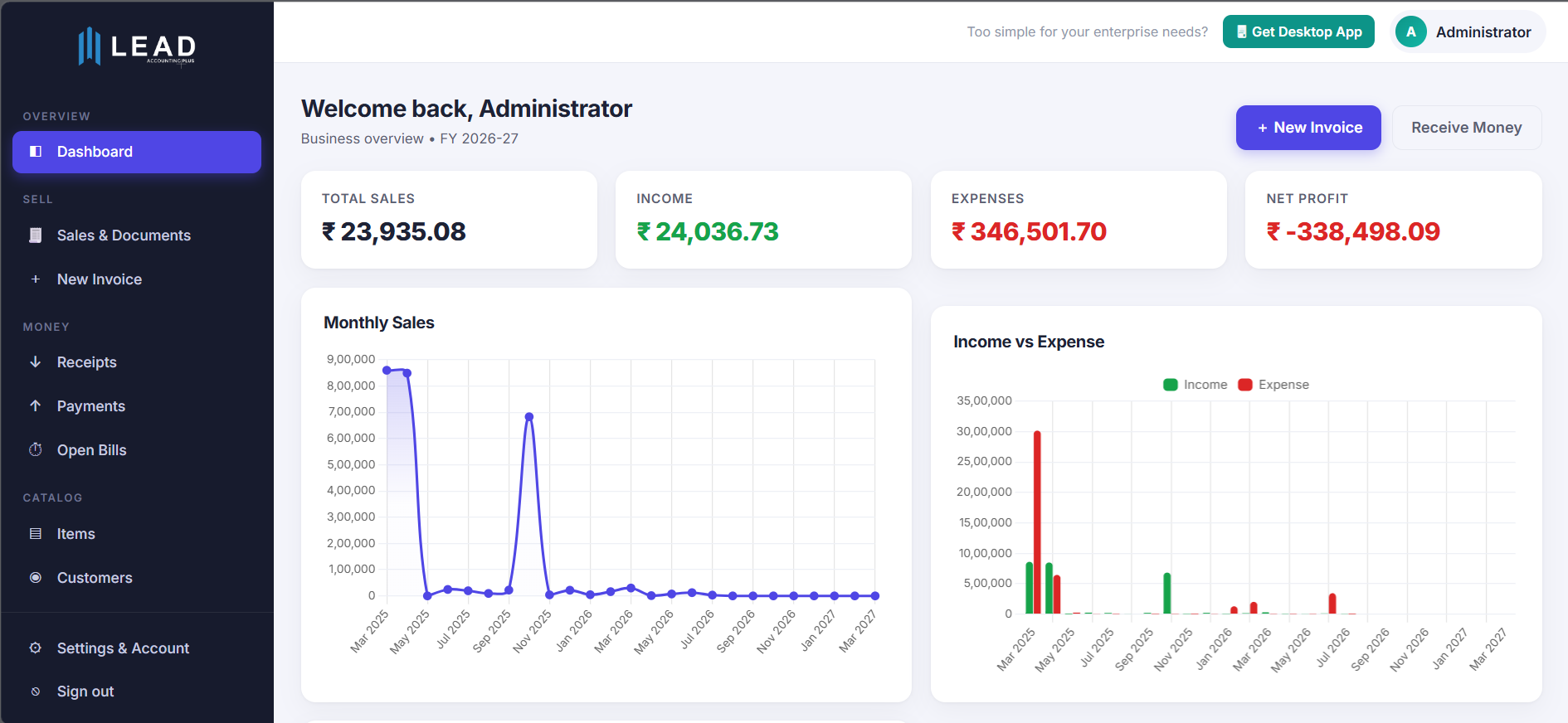
Web · app.leaderp.netThe full back office in your browser: dashboard, invoices, receipts, payments, items and customers.

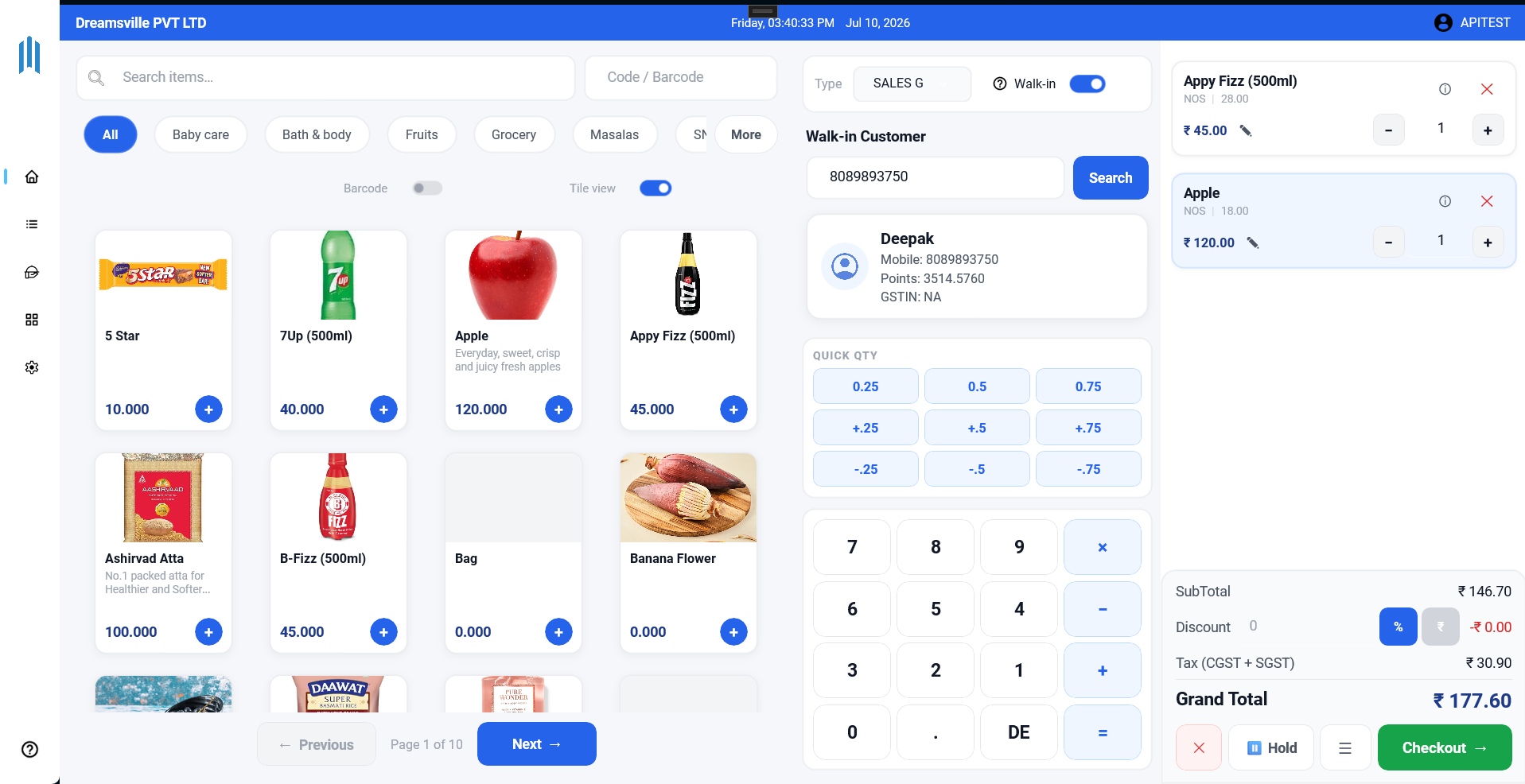

Desktop and Android apps, plus web apps for CRM, HR and field sales. All of them work on the same live data.
Nothing to install. Open in any browser on a laptop, tablet or phone and sign in with your LEAD account.
The full back office in your browser: dashboard, invoices, receipts, payments, items and customers.
Leads, deals, follow-ups, quotations and website chats for your sales team.
Employees, attendance, leave, payroll, expenses and recruitment.
Field sales on the web: routes, orders, collections and targets for reps and managers.
The Lead App is available for iOS too. Message us and we'll send you the install link, or open app.leaderp.net in Safari in the meantime.
Ask for the iOS app →Our Android apps are installed straight from this page. On a laptop, scan the QR code with your phone to download it there.
Tap the download button on your phone or handheld, or scan the QR code.
Open the file. If Android asks, allow "Install unknown apps" for your browser or file manager.
Open the app and sign in with your LEAD account. To update, install the new version over the old one; your data stays.
Yes. These files are built and signed by our team and served from our own storage. Only install LEAD apps from this page or from a link our team sends you.
Yes. All apps sign in to your company's LEAD account. New to LEAD? Start a free trial first.
Android handhelds, including Zebra and Chainway devices with built-in barcode and RFID readers. Tell us your model and we'll confirm.
Try again on a stable connection, and check that your phone allows installs from your browser. If it still doesn't work, chat with us and we'll help.